Lab 14
Goals and Objectives
The main goal this lab is for you to get a more practice with recursion in the context of fractals.
Task
You will complete methods that create some simple fractal images.
Background
Fractals can lead to visually interesting artwork. I've used this process to create several artworks:
- Giuseppe Peano, Curved
- Fibonacci Florascentia
- Fibonacci Nautilus
- Suit Soiree
- Binomial Pursuit
- Ordinal Eight
- Snowflake Calligram
- Zap
Other artists such as M.C. Escher and Robert Fathauer have used fractals in their artwork.
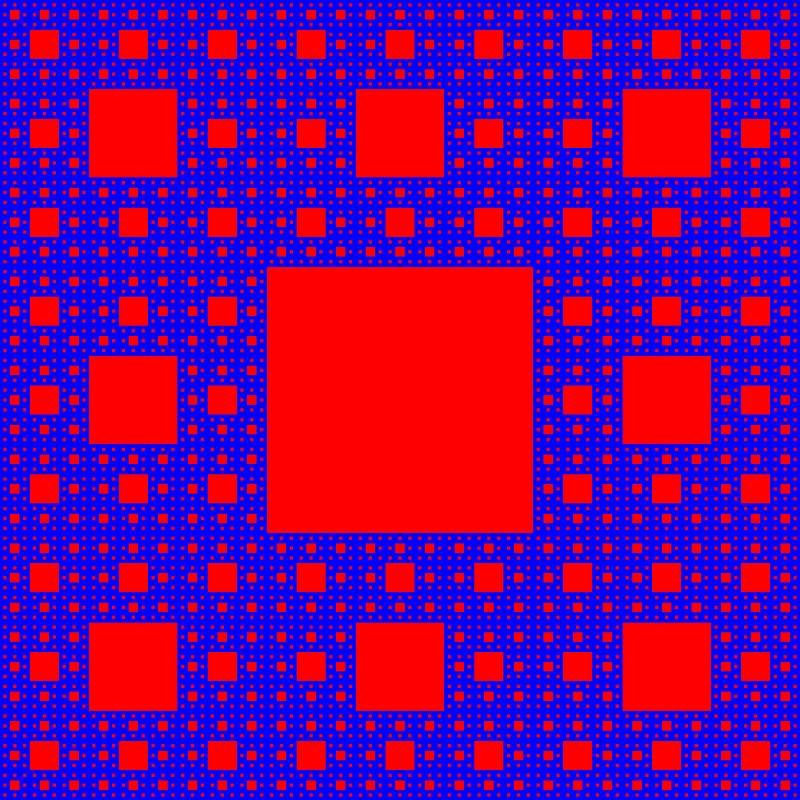
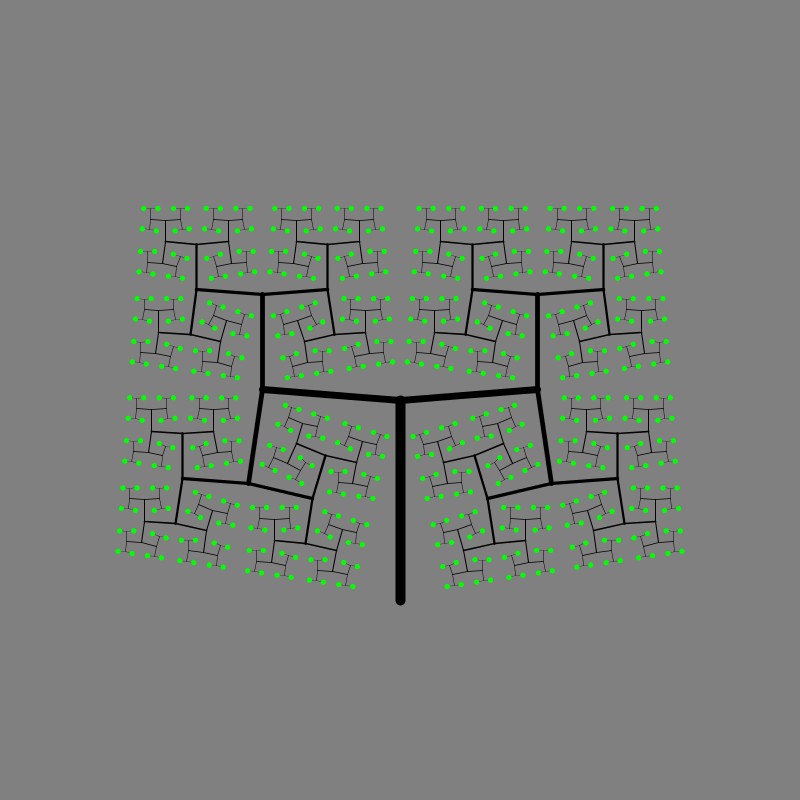
In the lab I am asking you to create images like the ones below as well as explore some options in existing code.
 |
 |
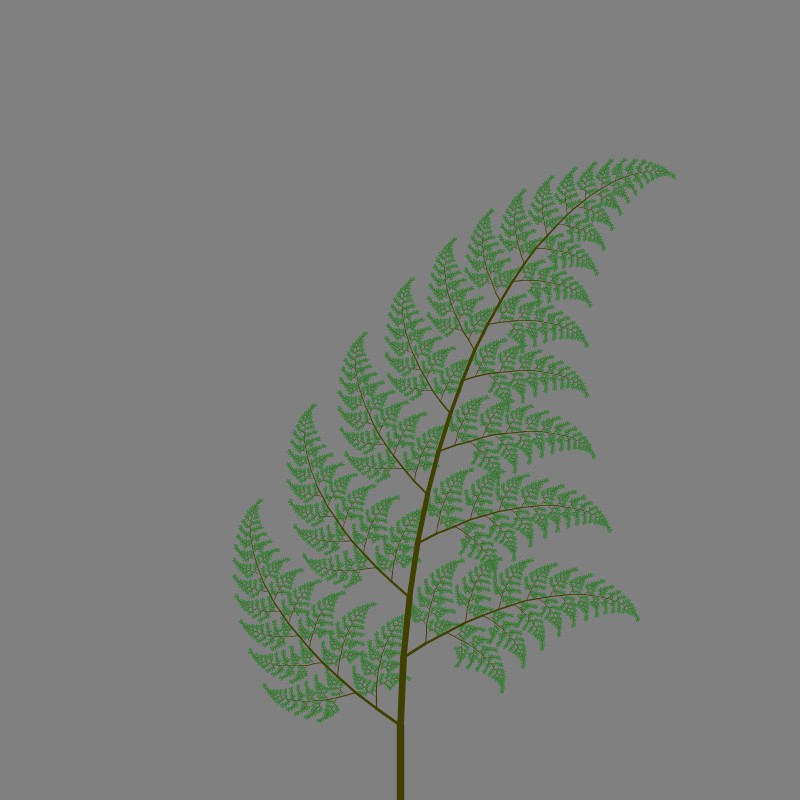 |
Sierpinski carpet | tree | fern |
Introductions
Introduce yourself to your lab partner(s). Talk about your plans for winter break.
Download the lab
Download the source file Lab14.py. It contains the stubs of several methods. Save it directly to your folder with your other lab files and open it in Python.
Pressing a key will change the graphic displayed as follows:
- c
- circles
- q
- squares
- k
- Koch curve
- s
- Sierpinski carpet
- t
- tree
- f
- fern
- a
- YOUR artistic fractal
Explorations
See the comments before functions that encourage you to explore these fractals and gain a better understanding of fractals and recursion.
Code
# YOUR NAMES HERE!

import turtle


# translate
def translate(pic, rx, ry):
    pic.penup()
    pic.forward(rx)
    pic.left(90)
    pic.forward(ry)
    pic.right(90)
    pic.pendown()
    return


# draw a circle centered at current position
def circle(pic, L, fill):
    # translate to the lower left corner
    translate(pic,0,-L)
    if fill:
        pic.begin_fill()
    pic.circle(L, steps=int(L))
    if fill:
        pic.end_fill()
    # translate back to the origin
    translate(pic,0,L)
    return


# draw a square centered at current position
# with side length L
def square(pic, L, fill):
    # translate to the lower left corner
    translate(pic,-L/2,-L/2)
    if fill:
        pic.begin_fill()
    pic.forward(L) # bottom
    pic.left(90)
    pic.forward(L) #right
    pic.left(90)
    pic.forward(L) #top
    pic.left(90)
    pic.forward(L) # left
    pic.left(90)
    if fill:
        pic.end_fill()
    # translate back to the origin
    translate(pic,L/2,L/2)
    return


# draw recursive squares driver
def squaresDriver():
    pic = turtle.Turtle()
    squares(pic, 400)
    pic.getscreen().update()
    return

# draw recursive squares
def squares(pic, L):
    square(pic, L, False)
    if L < 25:
        return

    L1 = L*0.5
    L2 = 0.4*L

    translate(pic, 0, L1)
    squares(pic, L2)
    translate(pic, 0, -L1)# move back

    translate(pic, L1, 0)
    squares(pic, L2)
    translate(pic, -L1, 0)# move back

    translate(pic, -L1, 0)
    squares(pic, L2)
    translate(pic, L1, 0)# move back

    translate(pic, 0, -L1)
    squares(pic, L2)
    translate(pic, 0, L1) # move back
    return


# draw recursive circles driver
def circlesDriver():
    pic = turtle.Turtle()
    circles(pic, 200)
    pic.getscreen().update()
    return

# draw recursive circles
def circles(pic, L):
    circle(pic, L, False)
    if L < 25:
        return

    L2 = 0.5*L

    translate(pic, 0, L)
    circles(pic, L2)
    translate(pic, 0, -L)# move back

    translate(pic, L, 0)
    circles(pic, L2)
    translate(pic, -L, 0)# move back

    translate(pic, -L, 0)
    circles(pic, L2)
    translate(pic, L, 0)# move back

    translate(pic, 0, -L)
    circles(pic, L2)
    translate(pic, 0, L) # move back
    return


# draw Koch curve
def kochDriver():
    pic = turtle.Turtle()
    L = 300
    translate(pic, -L, 0)
    koch(pic, 2*L)
    translate(pic, -L, 0)
    pic.getscreen().update()
    return

def koch(pic, L):
    if L < 10:
        pic.forward(L)
        return
    pic.pendown()
    pic.color('red', 'red')
    koch(pic, L/3)
    pic.left(60)
    koch(pic, L/3)
    pic.right(120)
    koch(pic, L/3)
    pic.left(60)
    koch(pic, L/3)
    return

# Sierpinski carpet driver
def sierpinskiDriver():
    pic = turtle.Turtle()
    L = 800
    # change colors as desired
    pic.color('red', 'red')
    turtle.Screen().bgcolor("#010041")
    sierpinski(pic, L)
    pic.getscreen().update()
    return


# draw Sierpinski carpet
def sierpinski(pic, L):
    print("sierpinski")
    return


# Sierpinski carpet driver
def treeDriver():
    pic = turtle.Turtle()
    pic.color('red', 'red')
    translate(pic, 0,-300)
    pic.left(90)
    tree(pic, 300)
    pic.right(90)
    translate(pic, 0,300)
    pic.getscreen().update()
    return

# draw tree
def tree(pic, L):
    print("tree")
    return


# Sierpinski carpet driver
def fernDriver():
    pic = turtle.Turtle()
    pic.getscreen().bgcolor("#808080")  # Image background color, hex RGB value
    pic.color("#414000", '#414000')
    translate(pic, 0,-300)
    pic.left(90)
    fern(pic, 75)
    pic.right(90)
    translate(pic, 0,300)
    pic.getscreen().update()
    return

# draw fern
def fern(pic, L):
    print("fern")
    return

# artistic driver
def artisticDriver():
    pic = turtle.Turtle()
    pic.color('green', "red")  # drawing and fill colors
    pic.color('green')  # drawing color - Tk color

    artistic(pic, 75)
    pic.forward(100)
    pic.getscreen().update()
    return

# draw your own creative artistic fractal
def artistic(pic, L):
    print("artistic")
    return


# not much, if anything, to change here
def main():
    # set title of the drawing window
    turtle.Screen().title("CS 171 - Lab 14")

    # set size of the drawing window
    turtle.Screen().setup(width=800, height=800)

    # default starting display
    reset()

    # Loop forever waiting for window to close
    turtle.mainloop()


def reset():
    turtle.clearscreen()
    turtle.showturtle()
    #turtle.hideturtle()
    #pic.hideturtle() # hide the turtle

    # set a slow speed
    turtle.delay(1)
    turtle.speed(1)
    # set a fast speed
    turtle.tracer(3000, 0) # superfast

    # Set colors - Can be changed later as needed
    # https://www.google.com/search?q=color+picker
    turtle.Screen().bgcolor("#94d4e0")  # Image background color, hex RGB value
    # https://www.tcl.tk/man/tcl8.4/TkCmd/colors.html

    # create callback function bindings
    turtle.onkey((lambda:reset()), "r")
    turtle.onkey((lambda:squaresDriver()), "q")
    turtle.onkey((lambda:circlesDriver()), "c")
    turtle.onkey((lambda:sierpinskiDriver()), "s")
    turtle.onkey((lambda:kochDriver()), "k")
    turtle.onkey((lambda:treeDriver()), "t")
    turtle.onkey((lambda:fernDriver()), "f")
    turtle.onkey((lambda:artisticDriver()), "a")
    turtle.listen()

main()
When you are finished, email your lab files to your lab partner(s) and instructor.